
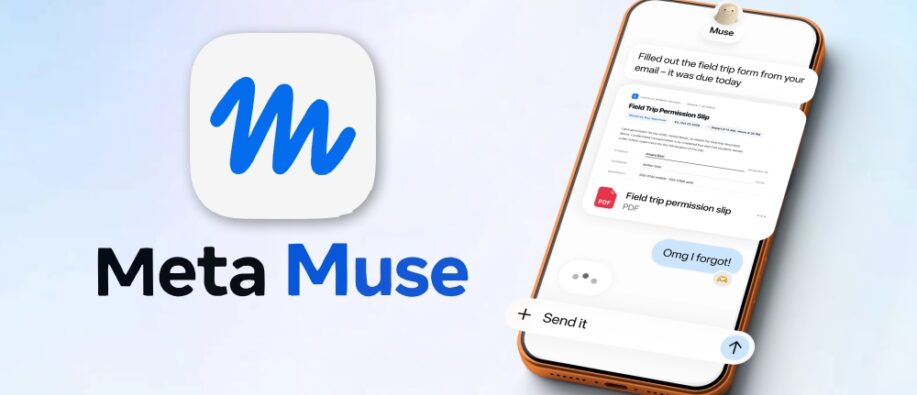
What if an AI agent could work on your behalf and complete all the tasks? Sounds great, right? On 8th September 2026, Meta launched the Meta Muse app, a personal AI agent that does not just answer questions; it does the work for you. It is built to be safe, private, and widely available as a personal AI agent.
Need to fill out a form, need to pay bills with your card? Meta’s Muse app can do it for you. There’s nothing you need to worry about. And yes, all this with complete security. Run down through the blog to understand everything about the Meta Muse app, alongside its work, features, focus on security, and much more. Let’s dig in.
What is Meta Muse App? Let’s Check It Out
Meta Muse app is Meta’s personal and secure AI assistant that is built to actually do work for you rather than just answer your queries. Muse runs a Muse Secure VM, a dedicated virtual machine that uses both the agent and personal data.
The app runs on a system called Muse Spark. It opens web pages, fills out online forms, compares prices, and organizes daily schedules effortlessly whenever required. Users get a personal cloud environment called Muse Secure VM that protects users’ data. It also includes Sentinel, a guardian program that analyzes each task performed by Muse AI.
Meta Muse App is Built with Security in Mind: A Brief Understanding
Meta’s Muse is ideal for everyone. But yes, that doesn’t compromise security. The most interesting part of Muse is where the agent runs. Each user has a dedicated, isolated cloud environment so that no other agent can reach it. The company’s official announcement also emphasizes a separate Sentinel agent that runs on that same machine and is kept away from Muse at the system level.
Now, another point is that Muse doesn’t have access to users’ passwords or payment methods. That’s great, right? The credentials a person shares go into secure storage. This way, Muse can use them without seeing them, including passwords a person types into the browser.
Do you know? People can even choose which Meta Muse app connects and how much access it gets. For example, with email, people can choose whether to give access to read their email or send on their behalf. As confirmed by the company, “Muse doesn’t share a person’s conversation or the data in their VM with Meta’s ad systems.”
All in all, Meta’s Muse app outperforms when it comes to security factors.
How Does Meta Muse App Actually Work?
To work with Muse, you don’t need to have any technical expertise. It can handle tasks such as sending emails, booking travel, and more. Once you share your goal with Muse, it works accordingly, develops a personalized plan, coordinates your time and resources, and moves through the workflow. What’s eye-catching is that Meta Muse gets better results with little effort. It even keeps working after you close the app and comes back when changes need approval, before it sends an email or makes a purchase.
What Can It Do?
- Travel and forms: It can open a browser, fill out forms, and even book trips.
- Billing and money: It can lower a bill or help you get a better price when you sell a car.
- Send an email: The AI agent can send an e-mail on your behalf.
- Shopping and other deals: turn a recipe list into a grocery list.
What are the Stand Out Features of Muse?
Below are some of the key features of Muse:
- Conversation-friendly: You can chat with Muse in the same way you message other people, using the Muse app or directly in WhatsApp. It’s simple: Tell Muse what you need, and it will get it done.
- Works with your favorite apps: Connect your email, Instagram, calendar, and other apps you use daily.
- Work on goals and ideas: Make sure to give Muse a goal or task, and it builds an action plan, tracks your progress, and complete the desired task.
- Own web browser: Muse Secure VM can book appointments, fill out forms, and handle customer service.
- Personal AI: It generates a unique and temporary card number through Stripe to ensure that no one can see your debit or credit card details.
Shopping and Payments
Muse goes above and beyond shopping recommendations and actually completes purchases. According to Meta, Muse can complete the checkout process using Link from Stripe. This also includes coverage for damaged or lost items, free price drops, no-fee returns, and a return guarantee on eligible purchases. Link’s wallet for agents generates a one-time-use card, so your original card details remain hidden, making your purchases across the web safer.
Meta Muse App Availability and Pricing?
Muse is rolling out in the US on iOS, Android devices, and web versions at muse.ai. The company also stated that the platform is coming soon to AI glasses. Now, pricing is here to amaze everyone. Meta’s launch announcement states that Muse is free for most needs and offers subscription plans for users who want to unlock more.
The Future Outlook!
Here's the final overview of Meta Muse. It marks a significant step toward agentic AI becoming at the forefront of a personal digital workforce. The platform stands out with the ability to use a browser, connect with apps, create tools, work in the background, and even act. Now, as tech moves forward, it raises an equally important question: How much control are people willing to give an AI agent? This will mark the beginning of the personal AI agent era, and it will be one of the most transformative technologies.
Stay tuned for more informative blog posts about the tech landscape.
FAQs
1] Is Meta Muse app free?
Answer: The Muse app is free to use, with a usage limit. If you reach the free limit, you can upgrade anytime with a paid subscription or wait until the limit refreshes.
2] Is it possible to send emails with Muse?
Answer: Yes. Muse can work with email, and for sensitive actions like sending email, it requires user approval.
3] Does Muse work even after closing the app?
Answer: Yes. Whenever you ask Muse to perform a particular task, it works in the background, regardless of whether you are using the app or not.
Also Read:
How AI Agents for Detection Optimization Strengthen Security?
AI Agents in Cybersecurity: What’s Working Today and What’s Not?