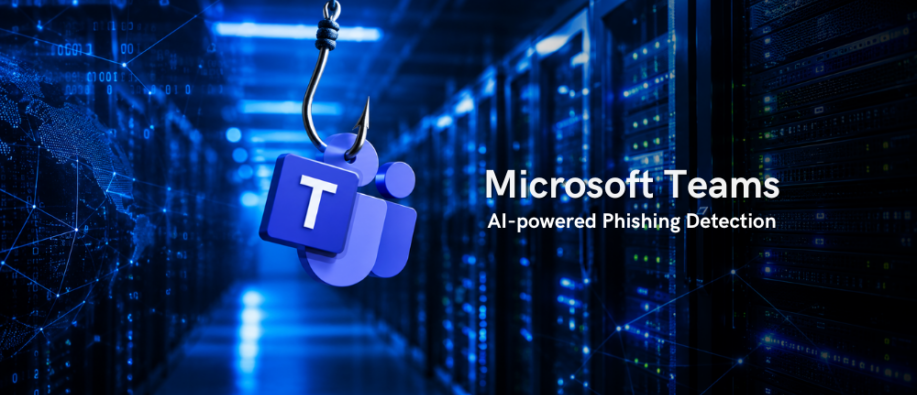
Microsoft is adding AI-powered phishing detection in Microsoft Teams that uses conversation context to identify scams that may not contain harmful links or attachments. The feature mainly focuses on first conversations with external contacts and detects phishing, social engineering, impersonation, and other deceptive behavior.
As per Microsoft 365 Message Center notice MC1519866, published on October 21, 2026, the rollout will begin in early November 2026, while general availability is planned for early to mid-December 2026. This update is a part of Microsoft’s broader security enhancements for Teams.
How Does the AI-Powered Detection Feature Work?
The new security update works in real time across Teams' chat threads, monitoring the signs of social engineering attacks. Traditional warning signs, such as suspicious URLs, malicious attachments, and infected files, aren't always present in social engineering attacks.
Microsoft Teams' new capability can analyze conversation contexts to identify suspicious behavior even when phishing indicators are absent. The system automatically flags messages for security review, warns users, or blocks message delivery based on policy.
The feature will mainly focus on conversations with external contacts, which carry higher risks as users do not recognize the sender.
The MOD Administrator Warning
The announcement includes an example in which an external account called “MOD Administrator” requests login credentials after discussing permission problems. Teams display a notice saying the message could be a phishing attempt. The feature is designed to help users spot deceptive requests before sharing sensitive information.
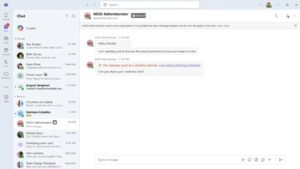
The protection supports individual and group chats that involve external contacts across web, desktop, and mobile platforms. Microsoft says the capability is used only for security protection, not for productivity, summarization, advertising, monitoring, or other non-security purposes. Additionally, customer message content will not be retained by the detection system for model training or other secondary uses.
Organizations will need to make additional administrator configuration changes to enable the protection. However, Microsoft also recommends educating employees about suspicious external communications and encourages them to report phishing attempts or incorrect detections.
What Does this Mean and What Users Should Do?
Integrating real-time AI analysis adds a new layer to enterprise collaboration security, allowing organizations to assess whether their current security postures address conversation-based threat vectors.
In October, the company announced plans to introduce support for third-party deep-fake detection solutions and impersonation protection in Teams meetings. Even though AI-powered detection adds another layer of defense, organizations should continue training employees to confirm requests through trusted channels.
Users should not share passwords or verification codes in response to unwanted support messages, and the absence of a warning should not be considered proof that a conversation is safe. The launch addresses the growing number of Teams-based phishing attacks and those targeting other work collaboration tools.
For more top news updates on the technology landscape, visit our website now.
Also Read:
Zero Trust for AI: Microsoft’s Approach to Secure the Full Lifecycle of AI
Microsoft Scout Explained: The Always-On Autonomous Agent for Your Workflows