A phishing website can look almost identical to a trusted login page, but the threat the former poses cannot be underestimated. An employee may enter their Microsoft 365 password without noticing anything unusual. Browser security against phishing helps identify suspicious websites before users share sensitive information. Traditional antivirus offers another layer by detecting malicious files and activity on the device.
But which provides better protection? The answer depends on where the attack happens. Browser security, antivirus, and web filtering inspect different parts of an online threat. Understanding these differences helps businesses choose a more effective security strategy.
Understanding Browser Security Against Phishing Websites
Browser-based phishing protection checks websites and online activity for signs of fraud. It uses website reputation data, suspicious URL patterns, and threat intelligence to identify potentially dangerous pages.
For example, Google Chrome uses Safe Browsing to warn users about phishing websites, malware, and unsafe downloads. Its Enhanced Protection setting can also provide warnings about potential new threats. Microsoft Edge uses Defender SmartScreen to check websites and downloads against dynamic threat information.
These features can interrupt an attack before a user enters login credentials. However, their effectiveness depends on the available detection signals.
A newly created phishing domain may not have an established reputation. Attackers can also compromise legitimate websites or host fake login pages on trusted platforms. A website that looks legitimate does not automatically mean its content is safe.
Microsoft's SmartScreen documentation explains how Edge evaluates suspicious websites and downloads.
How Antivirus Protection Handles Phishing-Related Threats
Traditional antivirus software focuses on protecting the device. It scans files, applications, and system activity to identify malicious behavior. If a phishing attack leads to a harmful download, antivirus protection can detect, quarantine, or remove the threat.
Modern antivirus products may also include website reputation checks, anti-phishing modules, and browser extensions. These features can block dangerous URLs before a user interacts with a page. Therefore, it is inaccurate to assume that antivirus only becomes useful after malware reaches a device.
Independent testing supports this capability. In its June 2026 Anti-Phishing Certification Test, AV-Comparatives assessed security products using 275 phishing URLs.
The results show why antivirus-based phishing protection remains relevant. However, the test evaluates participating security products, not every antivirus solution on the market.
Where Browser Security and Antivirus Differ During an Attack
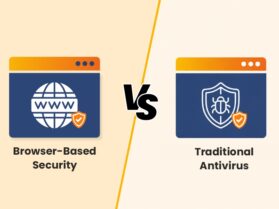
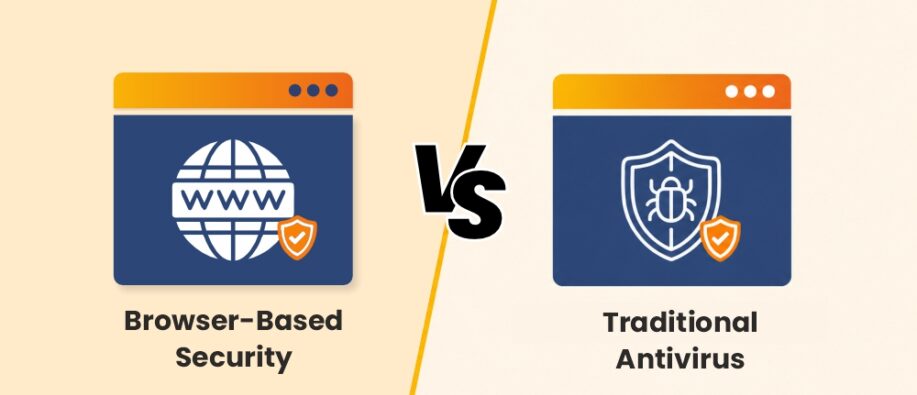
INT IMAGE- Browser-Based Security vs. Traditional Antivirus
| Comparison Criteria | Browser-Based security | Traditional Antivirus |
| Main Focus | Secures web browsing activities | Protects the entire device |
| Threat Detection | Detects malicious URLs, phishing websites, and unsafe web content | Detects viruses, ransomware, spyware, and malware |
| Detection Method | Uses URL filtering, website reputation, and browser monitoring | Uses signature scanning and behavioral analysis |
| Protection Level | Primarily protects against browser-related threats | Provides system-wide protection |
| Resource Usage | Generally lightweight | May consume more system resources |
Consider an employee who receives an email claiming their Microsoft 365 password is about to expire. The message links to a fake sign-in page designed to collect login details. Each security layer has a different opportunity to intervene:
Browser protection checks the destination
When the employee opens the link, browser protection can compare the website with known phishing reports and other suspicious signals. If it identifies a threat, it can display a warning before the employee submits their password.
Antivirus checks web and device threats
An antivirus product with web protection may identify the same malicious URL. If the employee downloads an infected attachment or runs a harmful file, its endpoint detection capabilities can provide another opportunity to stop the attack.
DNS filtering can block the connection
A DNS filtering service can check the requested domain against security policies and threat intelligence. If the domain is classified as malicious, the service can block the request before the website loads.
These controls do not necessarily operate in this exact order. Their effectiveness depends on the product and its configuration. The important difference is that they inspect threats at separate points rather than relying on one detection method.
DNS Filtering Extends Protection Beyond the Browser
Browser security against phishing mainly operates within a browsing environment. DNS filtering works at the domain lookup level and can help control which websites devices can reach.
Whenever a website name is entered, the device initiates a DNS lookup to determine the IP address of the hosting server. A protective DNS service can evaluate that request against known malicious domains and organizational policies. If the destination is blocked, the user may receive a warning or a blocked connection.
This approach can cover multiple browsers and supported applications using the organization's DNS service. It is particularly useful for businesses managing several devices.
However, DNS filtering does not inspect every file or action on a device. It may not stop a malicious attachment downloaded from an allowed website.
Why Browser Security Against Phishing Cannot Replace Endpoint Security?
Blocking a phishing website is only one part of preventing an attack. Some threats involve malicious attachments, harmful downloads, compromised browser extensions, or commands that users are tricked into executing.
Browser security may identify a suspicious destination, but it cannot handle every action that happens after a threat reaches the device. Endpoint security monitors files, processes, and system behavior to detect activity that browser-level controls may not cover.
Credential theft also requires a different response. Microsoft Windows 11 includes Enhanced Phishing Protection in Defender SmartScreen, which can warn users when they enter work or school passwords on suspicious websites or in suspicious applications. This illustrates how protection can extend beyond a browser warning.
Building a Layered Phishing Protection Strategy:
Businesses should combine technical controls with safer authentication and employee practices.
- Enable browser protection: Keep Google Safe Browsing, Microsoft Defender SmartScreen, or equivalent features switched on.
- Use updated antivirus software: Choose a product with current anti-phishing, web protection, and malware detection capabilities.
- Apply DNS filtering: Block known malicious domains across supported devices and applications.
- Use phishing-resistant authentication: Passkeys and FIDO2 security keys help prevent stolen passwords from being reused on fake login pages.
- Train employees: Teach users to verify unexpected requests, inspect suspicious links, and report unusual messages.
- Update software regularly: Keep browsers, operating systems, and security tools patched to reduce exposure to known vulnerabilities.
In Conclusion!
Browser security against phishing and traditional antivirus are not competing replacements. Browser protection helps identify suspicious websites, antivirus protects devices from malicious files and activity, and DNS filtering can block access to dangerous domains.
The strongest approach combines these controls with phishing-resistant authentication and employee awareness. This gives organizations multiple opportunities to prevent an attack, even when one security layer misses a threat.
For more security updates, please visit our official website now!
FAQs
Q1. How does browser security against phishing work?
Answer: It checks website addresses and other threat signals against security databases and detection systems. When a page appears dangerous, the browser can warn users or block access.
Q2. Can antivirus software detect phishing websites?
Answer: Yes. Many modern antivirus products include anti-phishing and web protection features that check URLs and block known malicious websites. Detection rates vary by product.
Q3. What is the difference between DNS filtering and browser protection?
Answer: Browser protection checks websites through browser-level security features. DNS filtering evaluates domain requests and can block access across supported browsers and applications.
Q4. Is browser-based phishing protection enough for a business?
Answer: No. Businesses should combine browser protection with antivirus or endpoint security, DNS filtering, phishing-resistant authentication and employee awareness training.
You May Also Like:
AI Email Security Solutions for Businesses
Why Security Awareness Training is the First Line of Defense
What Is a ClickFix Attack? How Paste & Click Is Being Used to Hack Users