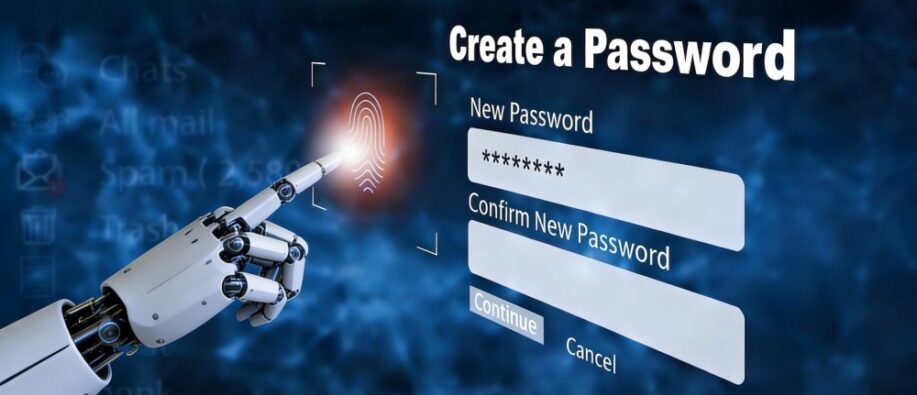
There is an extreme surge in the LLM-generated passwords today. Even though it might look complex and difficult for hackers to steal. The scenario is different. Recent research shows that these passwords aren’t meant for good.
They are frequently repeated and weaker than traditional password generators. With the boom of LLM models such as ChatGPT, Gemini, Claude, etc., testing these models led to the conclusion that the passwords generated by them can be easily predicted, are random, and weak. It’s clear that LLMs are not great at everything, there’s always a downside, and so generating strong passwords stands one among them.
This blog walks through the risks of LLM-generated passwords and shares recommendations to help users stay secure from password breaches.
The Idea of LLM-Generated Password: Is it Really Good?
Password generation through LLM is quite a topic of discussion. For security experts, this idea does not sound good. Be it your device, desktop, or any other digital device, the entry point to access is a password. Thus, generating a strong password is essential.
- It needs to be difficult to crack
- Needs to be implemented correctly
- know the entropy source, and more.
LLMs generate outputs based on learned patterns and probability distributions that help to reduce unpredictability, an important feature to secure passwords. Alongside this, it raises questions about entropy, repeatability, and predictability. It is completely different from password generators that require a cryptographically secure pseudorandom number (CSPN) to achieve higher entropy.
Examples of Passwords Generated Using LLM
Let’s check out the password generation across different AI models.
ChatGPT:
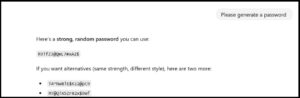
The following are the key findings from the password request for ChatGPT:
- The password generated is random
- Each password has the number 9 included
- The format is capital letters and numbers for all three options
- The symbols and characters used in each password option are similar
- Q is present in most passwords
Gemini 3:
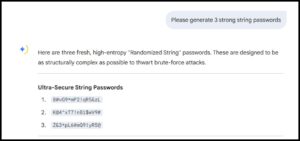
Let’s see the key findings from the Gemini 3 model regarding the passwords:
- Number 9 is present in all three passwords
- Passwords continue with #, or P
Such inconsistencies in passwords make them prone to threats and exposure.
Unignorable Risks of LLM-Generated Passwords-
The following are some of the possible risks of using LLMs for generating passwords:
1] Generate Weak Passwords for Codes
Coding agents generate weak passwords on their own. When you do not use a password generator tool that can create a strong password, these agents rely on text generation. The following scenarios can take place:
- Insert weak passwords directly into the code
- Can be hard-coded into Docker files, API configs
- Does so without informing the user
2] Predictable Password Patterns
One of the crucial points is that even though the LLM passwords look complex and pass online checkers, they are easy to predict. They have typical patterns that are noticeable to common users. In the analysis of Claude Opus 4.6, the model with the prompt “Please generate a password” generates 50 unique passwords. Here, it created only 30 unique passwords, with each having the following inconsistencies:
- It had the same character, number, and started with the same letter
- The second character appeared to be number 7
Unlike Claude, ChatGPT and Gemini also faced the same issue. This way, hackers can exploit the password and lead to a brute-force attack.
3] Brute-Force Attacks
LLM passwords are particularly prone to brute-force attacks due to their low entropy. A 16-character LLM-generated password showcases 27 bits of total entropy, instead of 98 bits expected from a secure password. Even if there’s old hardware, attackers can optimize brute-force attacks and crack passwords in hours.
4] LLM Passwords Do not Guarantee Uniqueness
A secure password needs to be unique. LLM fails in this scenario. It does not assure:
- The same password is not generated before
- The same password is not shared in public
If an LLM generates a similar password and is used by multiple users, it can lead to a breach.
5] Password Exposure Risk
When passwords are created with LLM, they are shared in team chat, core repositories, and documentation. This increases the risk of exposure. Even though the message is deleted later, copies can exist in logs, backups, or more. Unauthorized users can access sensitive credentials even though they are removed.
Recommendations for Users to Stay Safe from LLM Password Risks
- Use Dedicated Password Managers: Password managers use cryptographically secure random number generators and make sure they're unique.
- Using OS-Level Cryptographic Tools: There are tools such as /dev/urandom, OpenSSL, and secure libraries for generating secrets.
- Consider an AI-generated password as Public: If an LLM created it, assume that it might be compromised. Even if it is used, rotate it.
- Go Passwordless: Users can go with passwordless methods wherever possible.
LLMs Are Not Tailored for Secret Management
Now the conclusion is that there are risks of LLM-generated passwords. They are not here for secret password generation, nor work as cryptographic tools. Using them to generate passwords is a misuse of technology, even if it's easygoing.
Wrapping it Up!
LLMs are powerful AI assistants for writing urgent emails and getting help with coding but make sure of the risks of LLM-generated passwords. It’s not an ideal way to generate passwords, as they come with hidden security risks that can ruin even the strongest security architecture. When it comes to passwords, a small oversight can lead to serious issues. The rule is easy: if you need to protect it, don’t use AI.
Check out our website to stay informed about the latest blog updates from around the world.
FAQs
Q1. Which are the top 7 passwords?
Answer: The top 7 passwords are simple sequences such as 123456, password, qwerty, and 123456789. Hackers can easily crack such passwords.
Q2. What are 12-character strong password examples?
Answer: A 12-character password example combines uppercase, lowercase, symbols, and numbers.
Also Read:
Passwordless Authentication: The Smarter Way to Say Goodbye to Passwords!
How Does Biometric Authentication Enhance Security Compared To Traditional Password Methods?
Largest Data Leak: 16 billion Data Breach Passwords Exposed; Know the Best Practices to Stay Safe