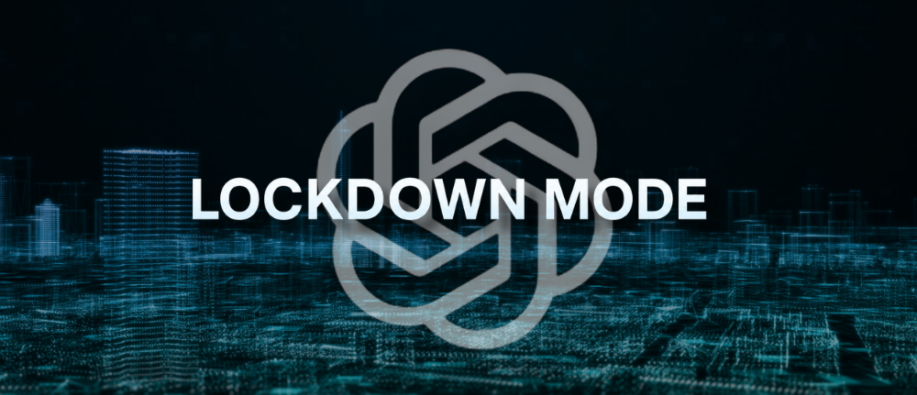
OpenAI is constantly raising the bar with new features to its lineup. How about a new security feature called Lockdown Mode? Unlike the constant feature updates that promise high performance, capabilities, and more, the Lockdown feature is interesting.
It is an advanced and yet, optional security feature that limits capabilities in OpenAI’s products. It is tailored for users to handle sensitive information and address growing AI security threats, such as prompt injection and the risk of data exfiltration.
These attacks encode malicious instructions in webpages, emails, or other content that an AI system reads, tricking users into revealing sensitive information. So, this new feature works well in preventing such activities. To help you understand more about OpenAI’s Lockdown Mode, we have curated this blog. Let’s break down its working, how can you turn on the mode, its use cases, and much more.
Lockdown Mode in Brief
Lockdown Mode is basically OpenAI’s optional security setting designed for organizations that handle sensitive data and need advanced protection against the growing risks of data exfiltration from prompt injection attacks. It limits some of the capabilities in OpenAI’s products that connect to the external web and serves as an additional layer of enterprise AI protection for organizations.
Rather than trusting the AI model to identify and block the suspicious activities, the new setting limits the AI’s ability to interact with external systems, reducing the chances of attacks. Lockdown Mode is currently rolling out to eligible personal accounts, including ChatGPT Free, Go, Plus, and Pro plans. It is also available for self-serve ChatGPT Business accounts. However, we can say that Lockdown Mode is here to offer frontier-level security in a high-risk environment.
How Does It Work?
Lockdown Mode provides strong protection across the entire system. It combines sandboxing, prevention of URL-based data exfiltration, monitoring, enforcement, and controls such as role-based access, among others.
Lockdown Mode works by limiting the outbound requests that could transfer sensitive data to an attacker. It blocks the final stage of data exfiltration in a prompt-injection attack. However, note that the mode does not stop prompt injection attacks from appearing in the content which ChatGPT usually processes.
Why did OpenAI Introduce Lockdown Mode?
There is growing concern about prompt injection attacks today. It’s evolving as a major AI security issue. OpenAI has continually emphasized hardening its security approach and systems to protect against such attacks.
In prompt injection, malicious instructions are embedded in websites, emails, and documents that the AI system reads, exposing sensitive information. Thus, the main aim of OpenAI is to reduce these types of attacks and help users operate safely in high-risk environments.
How Can You Turn On Lockdown Mode?
The following are the steps that eligible personal accounts and self-serve ChatGPT Business accounts should consider while changing ChatGPT security settings:
Step 1: Go to Settings.
Step 2: Choose the Security option.
Step 3: Under Advanced Security, you can enable Lockdown Mode.
Step 4: In the confirmation modal, choose Turn on.
One thing to note is that Lockdown Mode and Developer Mode cannot be used at the same time. When you turn on Lockdown Mode, Developer Mode gets turned off. When Developer Mode is enabled, Lockdown Mode is automatically disabled.
The Features Restricted in Lockdown Mode:
It limits a few functionalities, meaning what ChatGPT can’t do. Take a look at the following:
-
- Browsing the web: Live browsing is limited only to cached content. Search results can be unavailable or limited.
- Image Support: ChatGPT cannot display images in regular answers or take images from the web.
- Deep research: Disabled
- Agentic mode: Disabled
- Canvas networking: Users are not allowed to authorize Canvas-generated code to access the network.
- File downloads: ChatGPT cannot download files for data analysis. It can still operate files uploaded manually.
How Can You Manage App Access?
The way apps and connectors work in Lockdown Mode depends on the account type you are using.
For personal accounts and self-serve ChatGPT Business accounts, Lockdown Mode blocks connectors that sync with data but do not allow live connector access, as well as any write actions. It does not support financial transactions in ChatGPT or shopping agent experiences.
For managed workspaces, apps, MCPs, and connectors, control is provided through workspace settings and role-based access controls. They should only be enabled by workspace administrators, and actions that users with Lockdown Mode need.
Who Should Use Lockdown Mode?
Lockdown Mode is ideal for users who handle sensitive, confidential, or high-stakes information. The following are some of the best use cases:
-
- Security researchers
- Government officials
- Legal teams
- Financial institutions
- Enterprise security departments
- Senior-level executives handling sensitive data
One thing to note is that if you are using ChatGPT for everyday writing, research, or coding, the standard protection that is included is sufficient.
Shortcomings!
Not Ideal for Everyone: The feature is currently intended for high-stakes organizations or individuals handling sensitive data. Daily ChatGPT users do not need such a security system.
Does Not Stop All Prompt Injection Attacks: OpenAI makes it clear that Prompt Injection Attacks are not prevented by Lockdown Mode. Uploaded files and cached content can still contain malicious instructions that affect the AI's behavior.
Concluding Lines!
OpenAI's Lockdown Mode is a specialized security feature designed to protect users from prompt-injection attacks and potential data exfiltration. By restricting web access, turning off higher capabilities, and reducing external interactions. This makes it ideal for creating a safe environment for handling sensitive information.
While Lockdown Mode may not be ideal for everyday users, it can provide valuable data protection for executives, journalists, researchers, and organizations operating in high-risk environments.
To read more informative blog posts around the tech landscape, visit our website now.
FAQs
1] Is it possible to use image generation in Lockdown Mode?
Answer: Even though Lockdown Mode limits image support in ChatGPT, it does not completely turn off image generation.
2] Does Lockdown Mode have any impact on Codex?
Answer: No. It does not have an impact on network access in Codex.
3] Is prompt injection a severe risk?
Answer: Prompt injection is not a major risk in the first place; however, its impact grows as attackers find new exploitation methods.
Recommended For You:
What is the Role of Artificial Intelligence in Cybersecurity?